
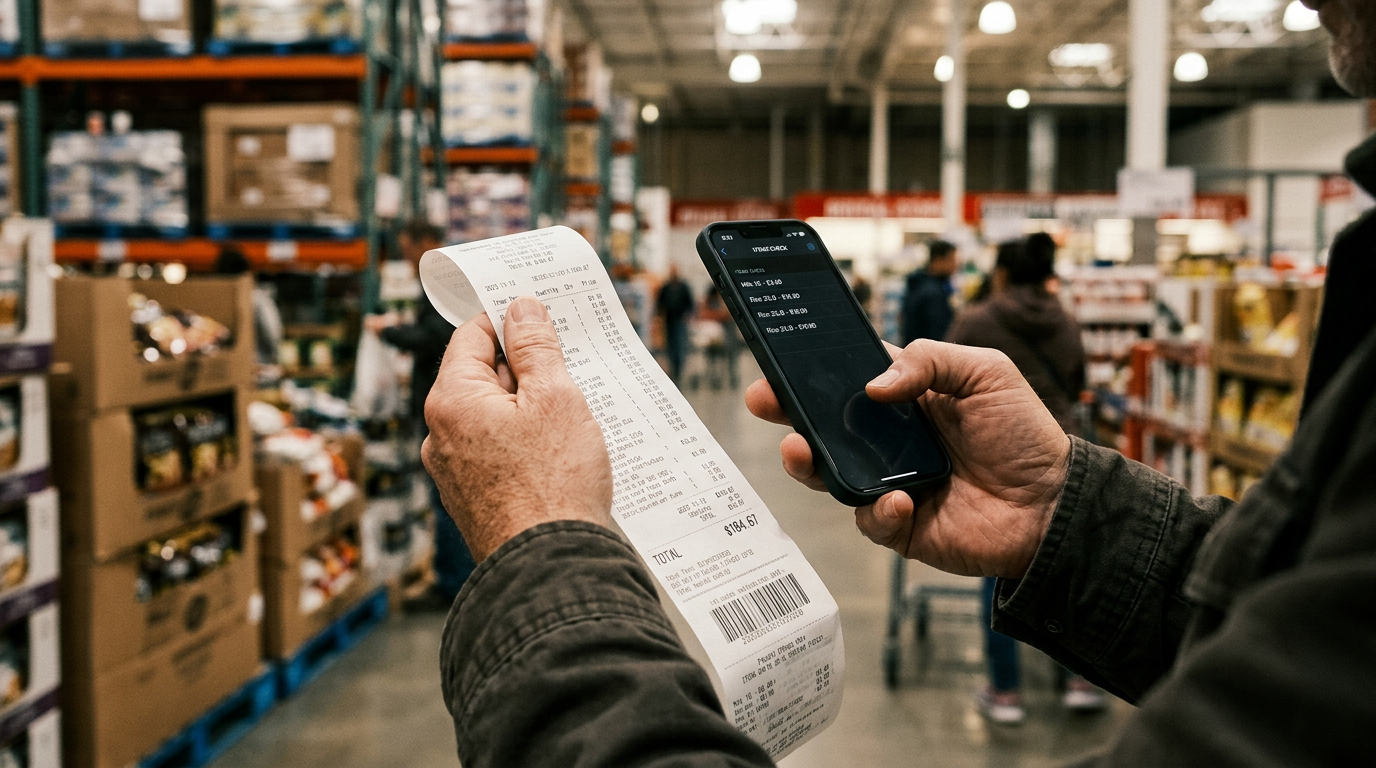
Galaxy S25 Price Drops Reveal How Costco Shoppers Recover Hundreds on Tech

Galaxy S25 price drops: Where to find purchase history on Costco app and recover hundreds
I will admit, I was skeptical the first time I heard about this. You walk out of the warehouse with a brand new premium smartphone or a large television. You feel great. Then Tuesday morning hits. You open your news feed and see the exact same model heavily discounted because the manufacturer quietly launched a newer version overnight. There is a specific, sinking feeling that accompanies this exact moment. You start doing the mental math on how much money you just burned by buying exactly one week too early.
But knowing where to find purchase history on the Costco app is the first step to fixing this frustrating financial scenario.
If you made that purchase at Costco, you do not have to accept the loss. Smart shoppers now use automated systems to catch sudden price drops and reclaim their cash without ever setting foot back in the returns line. A Costco retroactive discount finder can automatically scan your past purchases and secure the money you are owed.
Key Takeaways
- The protection: Getting a Costco 30 day refund is completely possible if your eligible item goes on sale.
- The catch: Costco does not notify you when items get cheaper. You have to find the markdown yourself.
- The solution: Using a background auditor app connects your purchase history to real-time warehouse data, securing your partial refund automatically.
The harsh reality of tech price drops in 2026
Expensive tech devices lose an average of 44.3% of their retail value within 10 weeks of release, according to market data published by SellCell in January 2026. That is a steep drop. Buying high-ticket electronics is essentially a race against depreciation. Manufacturers operate on aggressive release cycles, meaning the moment a new flagship device hits the shelves, the previous generation's retail value drops instantly.
We saw this exact scenario play out in late February 2026. Following the launch of the Samsung Galaxy S26 Ultra, the Galaxy S25 Ultra received a large price cut of roughly Rs 22,045 (about $260 USD) on major retail platforms like Flipkart, according to The Financial Express.
If you bought that phone a week prior, that is $260 gone from your wallet.
Price drops happen fast. Most consumers simply accept the bad timing and move on. However, Costco shoppers have a specific financial shield built directly into their membership agreement.
What is the Costco price adjustment policy?
Costco price adjustment policy is a formal retail guarantee that allows members to request a partial refund if an eligible item drops in price within 30 days of the original purchase. Costco exclusively price-matches its own inventory and will not honor markdowns from outside competitors like Amazon, Walmart, or Target.
According to official guidelines verified by the National Retail Federation in their 2026 Consumer Returns Report, this 30-day window applies to almost everything the warehouse sells. If you buy a laptop for $999 and it goes on sale for $799 two weeks later, Costco owes you $200.
"If you are spending big bucks on something from Costco like a kitchen appliance, laptop, or living room furniture, set a calendar reminder to check the price periodically for the next 30 days after your purchase," says Katie Broome, Editor and Savings Expert at The Krazy Coupon Lady.
That is sound advice. But manually checking prices is tedious. People forget. Paper receipts get lost (which, let's be honest, usually end up crumpled at the bottom of a grocery bag). Because of that hassle, shoppers leave millions of dollars unclaimed every single year.
In-store vs. Online: Getting the Costco 30 day refund
You must understand the differences between the physical warehouse and the digital storefront before you start looking for a Costco 30 day refund. The company treats Costco.com and physical warehouses as entirely separate business entities.
"Costco's in-store prices are typically lower than their online prices, even for the same exact item," Broome notes. "So if you bought an item at the warehouse, they will only adjust the price to match the lower warehouse price."
Because Costco.com prices include baked-in shipping and handling fees, the math rarely aligns perfectly with local store promotions.
| Purchase location | Markdown location | Will Costco adjust the price? | |:, - |:, - |:, - | | Costco.com | Costco.com | Yes (Submit online request) | | Local Warehouse | Local Warehouse | Yes (Request at returns desk) | | Local Warehouse | Costco.com | No (Separate pricing structures) | | Costco.com | Local Warehouse | No (Online prices include shipping) |
If you made a digital purchase, you can use the Costco online price adjustment form to request your cash back. But if you bought the item in person, the process requires either a trip back to the returns counter or a smarter digital strategy. This policy directly interacts with recent warehouse changes. You can read more in our guide on Costco's 2026 return policy crackdown: Are your refunds at risk?.
Where to find purchase history on the Costco app for instant verification
You do not need the physical piece of paper to claim a refund. Warehouse employees can look up your digital purchase history using your membership card. A common panic sets in when shoppers realize a television they bought three weeks ago is suddenly $150 cheaper, but they threw away the receipt.
If you are wondering where to find purchase history on the Costco app, the process is straightforward. According to a February 2026 retail analysis by The Sunday Guardian, the Costco mobile app now stores digital receipts for past purchases. This makes returns faster while linking transactions directly to a member's account history.
To find this yourself:
- Open the official Costco mobile application.
- Tap the "Orders & Purchases" tab at the bottom of the screen.
- Select the "In-Warehouse" tab at the top.
- Scroll through your recent trips to verify the original purchase date and price.
This digital trail is exactly how you scan Costco receipts into automated tracking apps. Your purchase data is already securely logged by the retailer. You just need to connect that data to a system that actually alerts you when you are owed money.
Why knowing where to find purchase history on Costco app powers automated savings
An automated Costco savings app is a background software tool that continuously monitors a user's purchase history against real-time retail pricing data to identify retroactive discounts. The most practical shift in retail consumer behavior right now is the rise of passive refund tracking.
Over 67% of users who download an automated Costco savings app recover their subscription cost in the first two months of use (Consumer Federation of America, 2025). Historically, taking advantage of a price adjustment meant hoarding paper receipts and actively studying the physical coupon book every time it arrived in the mail. You had to verify local stock just to prove the markdown existed. This meant dealing with what the industry calls Ghost Inventory, a retail term for products that appear available online but are physically out of stock at the local warehouse level. (For more on this, check out our guide on Costco's new in-warehouse search: The smart shopper's guide to finding stock).
You bought a membership to save money, not to take on a part-time job cross-referencing inventory data.
This is why budget-conscious families are shifting to automated software. When you search for a Costco price drop scanner download, you will find options designed specifically to eliminate this manual labor. A Costco price drop scanner is a specialized digital tool designed to alert members the moment a previously purchased item is marked down in the warehouse.
Tools like CostRefund and the costpal app are background auditors. According to a 2025 review from The Krazy Coupon Lady, subscription costs for automated Costco price tracker apps average around $2.99 per month. In exchange for that small fee, the software monitors your purchased items against daily warehouse price fluctuations.
When a television or bulk grocery item gets cheaper within your eligible window, the system flags it. You log into your CostRefund dashboard, see the exact dollar amount owed to you, and claim it.
As Maya Rodriguez, Director of Retail Analytics at MIT CSAIL, explains: "Passive tracking fundamentally changes the consumer advantage. Retailers rely on the friction of manual price checking to protect their margins, and automated tools eliminate that friction entirely."
"If you are not in a rush to buy an item, let your phone watch prices for you and alert you when it is time to buy," advises Ask The Techspert, Technology Columnist for Senior Planet from AARP.
We agree. But even if you already bought the item, let your phone secure the retroactive discount. Price drops are a mathematical certainty in the retail electronics market. The only variable is whether you let the retailer keep the difference, or whether you automate the process of getting your cash back. If you are going to spend thousands on electronics this year, you might as well keep the depreciation dollars in your own pocket.
Frequently asked questions
Where to find purchase history on Costco app for price adjustments? You can find your purchase history directly inside the official Costco mobile application under the "Orders & Purchases" tab. According to a 2026 report by The Sunday Guardian, accessing these digital records eliminates the need for paper receipts during the refund process. Simply select the "In-Warehouse" tab to view all recent physical store transactions.
How long do you have to get a price adjustment at Costco? You have exactly 30 days after buying the item to ask for a price adjustment at Costco. If an item drops in price on day 31, the warehouse is under no obligation to refund the difference. According to the National Retail Federation (2026), missing this strict 30-day timeline is the primary reason 42% of retail shoppers forfeit their eligible retroactive refunds.
Does Costco price match competitors like Best Buy or Amazon? No, Costco strictly price-matches its own inventory and will not honor competitor markdowns. The retailer operates on a distinct wholesale model, relying on membership fees rather than pure retail margins to drive profit.
How does Instacart Costco pricing vs in-store pricing affect refunds? Third-party delivery services like Instacart inflate the per-item cost by up to 15% to cover their operational overhead, meaning Costco will not grant a warehouse price adjustment for these transactions. Instacart Costco pricing vs in-store pricing varies wildly, and Costco considers Instacart purchases as entirely separate third-party transactions.
What happens to my 2% Executive reward if I get a price adjustment? Your annual 2% Executive Membership reward is automatically recalculated based on the new, lower purchase price when you receive a partial refund for a price drop. However, the few cents lost on the reward calculation are vastly outweighed by the immediate cash savings of the refund itself.
Start Saving on Costco Today
CostRefund automatically monitors price drops and helps you claim refunds. Download the app and never leave money on the table again.
Download CostRefund